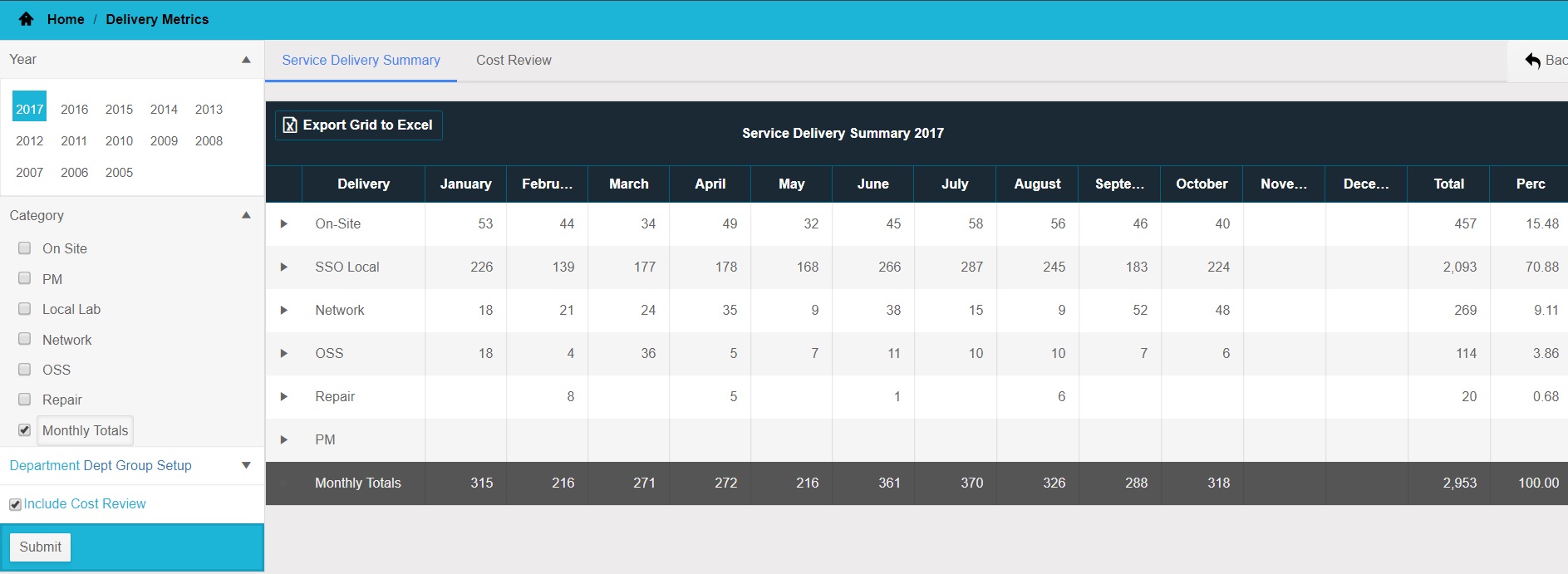
In order to access the Delivery Metrics feature from the menu, click on the Delivery Metrics tile on the 'Home' screen or click on the Delivery Metrics tile in the 'Views' menu.
This screen shows the number of units each month per service type. You can change the year and the category using the selection options on the left. To see the turnaround times for each service type, click on the category name. The summary can be exported to excel. To view the Cost Review, click on the Include Cost Review check box and the Cost Review tab will be displayed.
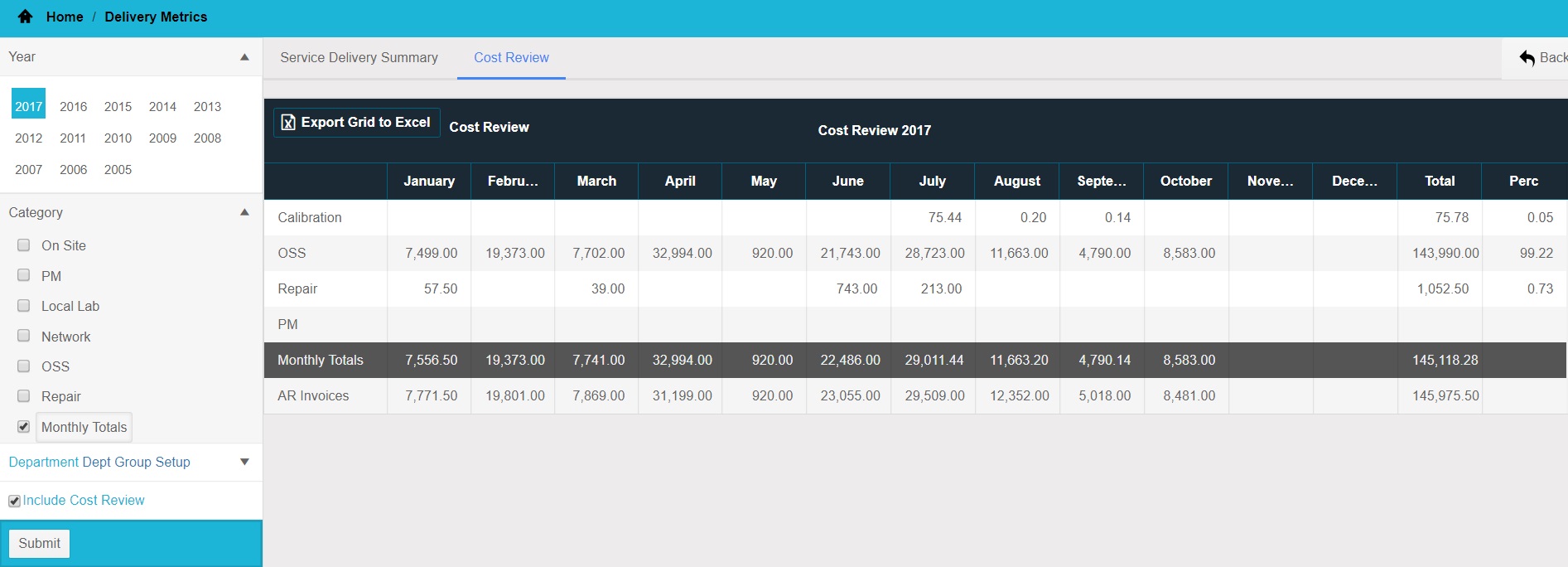
The cost review shows a breakdown of costs by service type for each month. The cost review can be exported to excel.
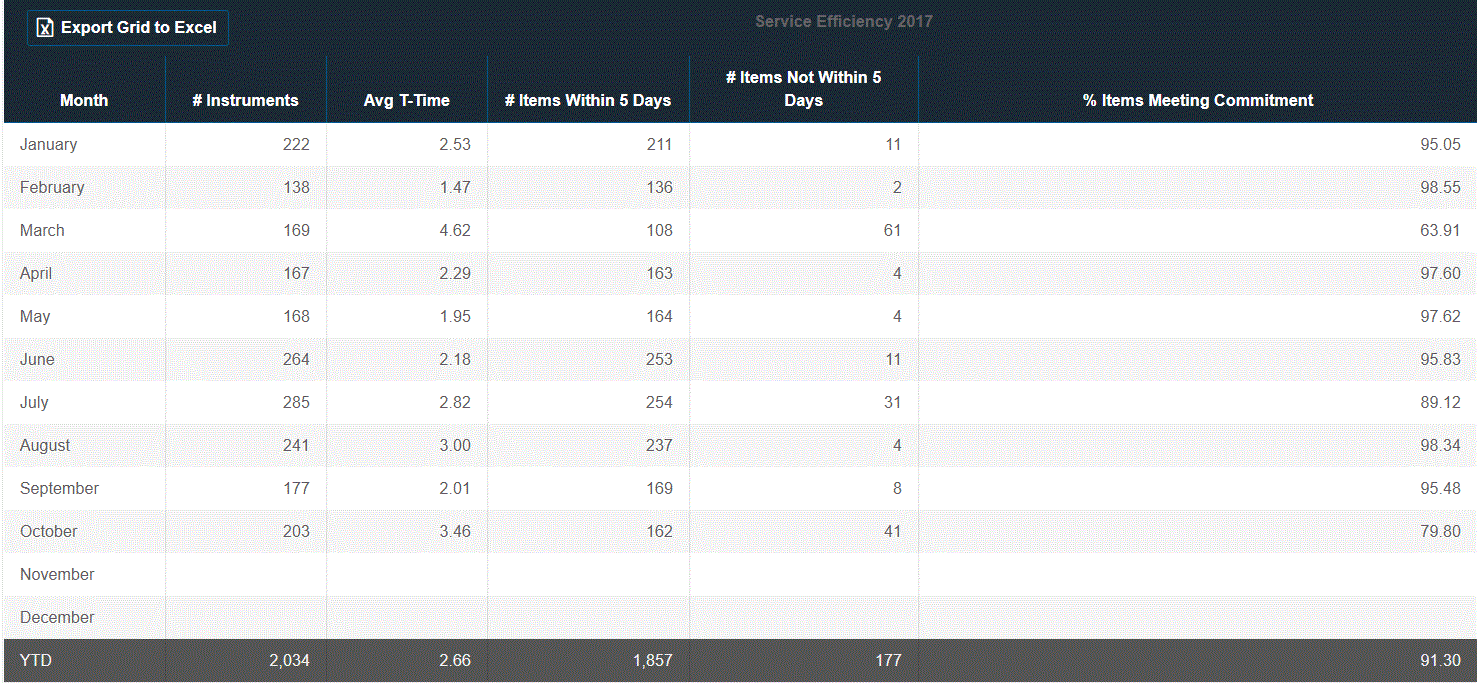
This screen shows the number of units serviced as well as the average turnaround time and items meeting commitment time. It also show the items not meeting commitment time and the on time percentage. This information can be exported to excel. Double-click on the month to view a breakdown of assets.
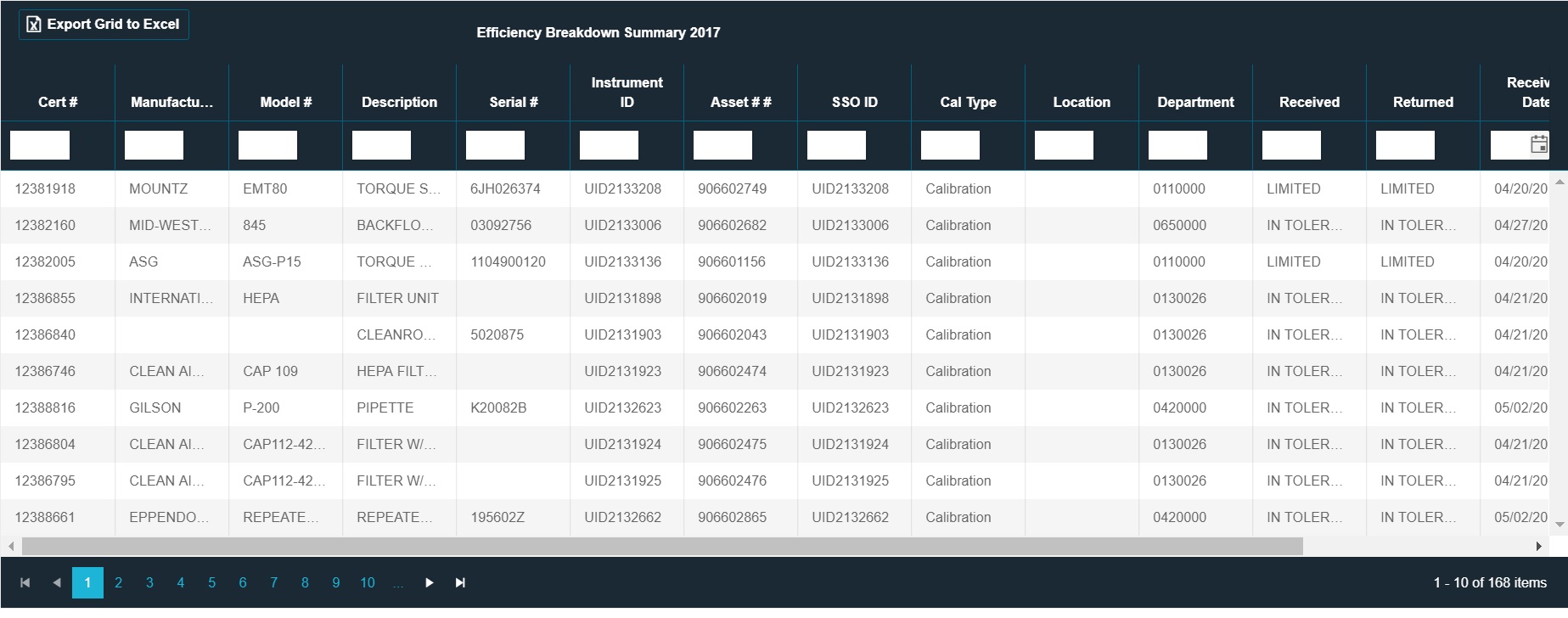
This screen shows the asset detail of the units serviced during the time selected. This information can be exported to excel