Mass Update - Customer Managed Assets
The Mass Update for Customer Managed Assets will allow the user to update
a group of assets with a specific value to a new value. In order to access
this feature, click on the Mass Update - CMA tile in the 'Bulk Upload'
menu.
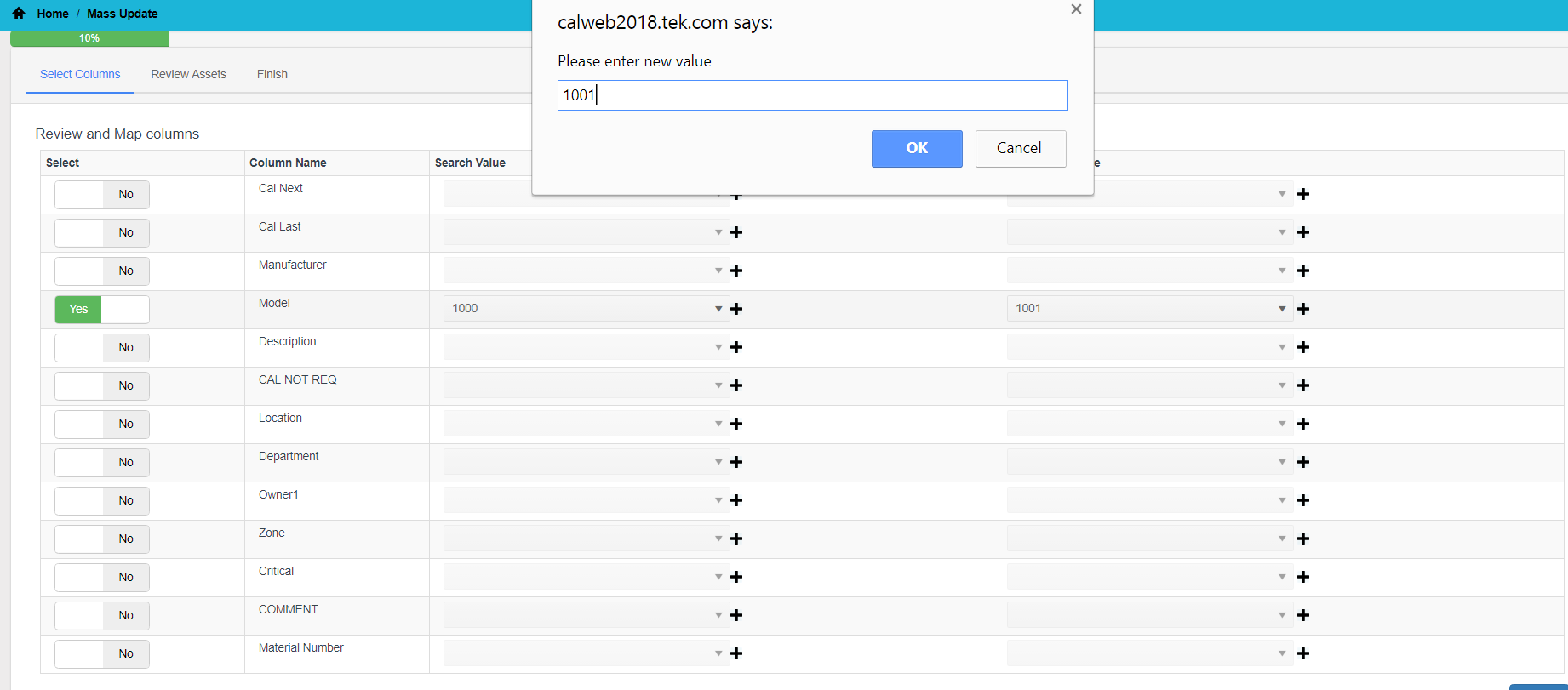
Select Columns
- Select the column(s) you would like to update by toggling the yes/no
selection. Fields with 'Yes' selected will be updated.
- Select the current value of the assets in the 'Search Value' column.
- Select the new value from the New Column Value drop-down. If the
value is not displayed in the drop-down, it can be added by clicking
on the addition icon to the right of the drop-down.
- Click on the Submit button.

Review Assets
The assets that will be updated are displayed in a list for review.
Please click on the Submit button to complete the process.
Finish
The assets will be queued for processing and an email notification will
be sent upon completion.